 80% off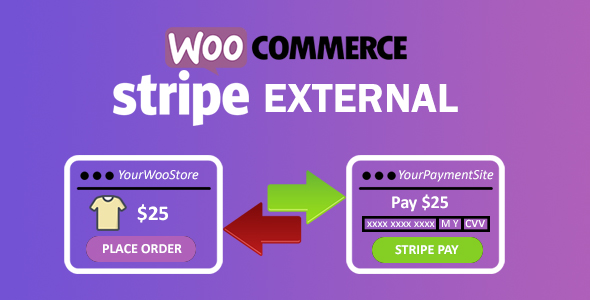
WordPress · Ecommerce/woocommerce/gateways
WooCommerce Stripe External – SnoopTool Deal
$5.80
$29
80% off
Price shown is 80% under Envato's own list price. Purchase, download and support all happen on CodeCanyon — nothing is fulfilled by SnoopTool. Not a cracked or pirated copy: "Buy Now" takes you to Envato's own checkout for the same official files and license as buying there directly.
| Category | WordPress — Ecommerce/woocommerce/gateways |
|---|---|
| Author | xpertsclub |
| Last updated | 16 Feb 2021, 8:40 pm IST |
| First published | 2 Mar 2020, 5:11 pm IST |
About this item
Important Note : This plugin works only for WooCommerce stores running in USA and Canada
What is it
Lets say you are a WooCommerce store owner. Now you want to send your customer from checkout page of your WooCommerce store to your another website and let them make the payment using stripe payment gateway & return them back to your store’s payment success page. Then this plugin is for you.
How it works:
To make it work, just follow the installation instructions and activate the plugin. Post installation, navigate to WP Admin Dashboard > WooCommerce > Settings > Payments and activate ‘Stripe External’. No coding is required.
Admin Settings:
Configuration:
After the above step, click on ‘Manage’.
Enable/Disable : Enable or D
Category & tags
Licensing & support
Envato sells this item under its own Regular and Extended commercial licenses, and support (bug fixes, compatibility help) comes directly from xpertsclub through Envato's own support system. SnoopTool doesn't set license terms, collect payment, or provide support — "Buy Now" takes you to CodeCanyon to complete all of that on the real listing.
More by xpertsclub
80% off  80% off
  80% off
  80% off
  80% off
  80% off
  80% off
  80% off
 More in WordPress
 80% off
  80% off
  80% off
  80% off
  80% off
  80% off
  80% off
  80% off
 .png) 80% off
80% off  80% off
  80% off
  80% off