 80% off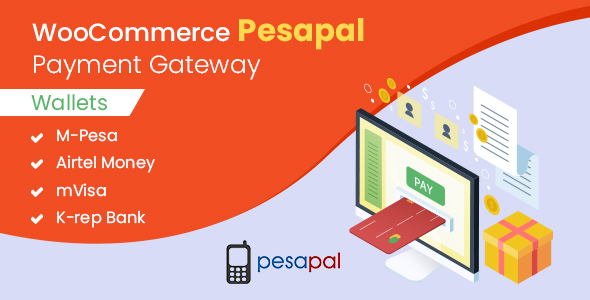
WordPress · Ecommerce/woocommerce/gateways
WooCommerce Pesapal Payment Gateway Plugin – SnoopTool Deal
$7.80
$39
80% off
Price shown is 80% under Envato's own list price. Purchase, download and support all happen on CodeCanyon — nothing is fulfilled by SnoopTool. Not a cracked or pirated copy: "Buy Now" takes you to Envato's own checkout for the same official files and license as buying there directly.
| Category | WordPress — Ecommerce/woocommerce/gateways |
|---|---|
| Author | elsnertechnologies |
| Last updated | 15 Mar 2024, 3:49 pm IST |
| First published | 28 Sep 2018, 3:12 am IST |
About this item
Pesapal’s secure online payment gateway makes the user experience easy and hassle free to accept payments through e-wallet and mobile wallet such as M-Pesa, Airtel Money, mVisa etc.
Wallets
M-Pesa
Airtel Money
mVisa
K-rep Bank
Supported Countries
Kenya
Uganda
Zambia
Zimbabwe
Rwanda
Tanzania
Malawi
Supported Currencies
By default, this is set to your country’s currency. For example, if you are registered as a merchant in
Kenya, it would be KES (UGX for Uganda, TZA for Tanzania, and so on).
Installation
Go to Plugins in the WordPress dashboard and click on Add New.
Upload the plugin zip file and install.
Activate the plugin.
Go to WooCommerce > Settings > Payment tab to configure the payment method.
Select Pesapal from the Payment
Category & tags
Licensing & support
Envato sells this item under its own Regular and Extended commercial licenses, and support (bug fixes, compatibility help) comes directly from elsnertechnologies through Envato's own support system. SnoopTool doesn't set license terms, collect payment, or provide support — "Buy Now" takes you to CodeCanyon to complete all of that on the real listing.
More by elsnertechnologies
80% off  80% off
  80% off
  80% off
  80% off
  80% off
 .jpg) 80% off
80% off  80% off
 More in WordPress
 80% off
  80% off
  80% off
  80% off
  80% off
  80% off
  80% off
  80% off
 .png) 80% off
80% off  80% off
  80% off
  80% off