 80% off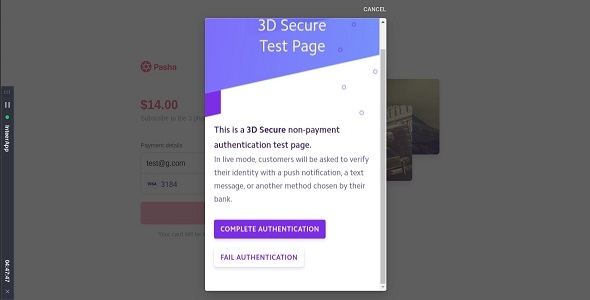
.NET
Stripe 3D Secure Payment Integration in Asp.Net MVC C# – SnoopTool Deal
$16.80
$84
80% off
Price shown is 80% under Envato's own list price. Purchase, download and support all happen on CodeCanyon — nothing is fulfilled by SnoopTool. Not a cracked or pirated copy: "Buy Now" takes you to Envato's own checkout for the same official files and license as buying there directly.
| Category | .NET |
|---|---|
| Author | fahimslash |
| Last updated | 22 Feb 2022, 6:38 am IST |
| First published | 22 Feb 2022, 6:38 am IST |
About this item
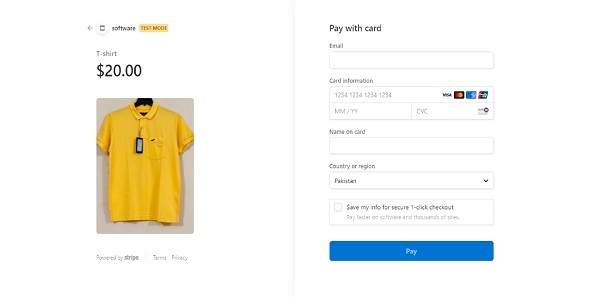
Stripe 3D Secure Payment Integration in Asp.Net MVC
Cardholder authentication using 3D Secure Stripe .Net MVC
1. Open project.
2. Replace your stripe public key and stripe secret key.
3. run project.
4. Click on 3D Secure or 3D Payment.
5. Enter Card Number like 4000000000003220 (3D Secure Authentication).
6. Enter Expiration like 02 / 25.
7. Enter CVC like 3456.
8. If your card is 3D secure then start stripe 3D secure authentication.
9. It’s depend on you want to authenticate or not.
10.After authentication automatically stripe will deduct payment.
Create Charge Stripe .Net MVC (Like Share & Subscribe)
11. Enter Card Number like 4242 4242 4242 4242. (Not 3D Secure Authentication).
12. Enter Expiration like 02 / 25.
13. Ente
Category & tags
.NET
by fahimslash
Licensing & support
Envato sells this item under its own Regular and Extended commercial licenses, and support (bug fixes, compatibility help) comes directly from fahimslash through Envato's own support system. SnoopTool doesn't set license terms, collect payment, or provide support — "Buy Now" takes you to CodeCanyon to complete all of that on the real listing.
More by fahimslash
80% off More in .NET
 80% off
  80% off
  80% off
  80% off
  80% off
  80% off
  80% off
  80% off
  80% off
  80% off
  80% off
  80% off