 80% off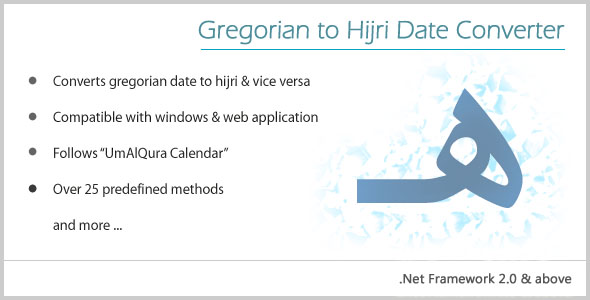
.NET
Gregorian to Hijri Date Converter – SnoopTool Deal
$1.60
$8
80% off
Price shown is 80% under Envato's own list price. Purchase, download and support all happen on CodeCanyon — nothing is fulfilled by SnoopTool. Not a cracked or pirated copy: "Buy Now" takes you to Envato's own checkout for the same official files and license as buying there directly.
| Category | .NET |
|---|---|
| Author | mimtiyaz |
| Last updated | 28 Oct 2016, 9:45 pm IST |
| First published | 28 Oct 2016, 9:45 pm IST |
About this item
Gregorian to Hijri converter is basically a dynamic link library (.dll) which can be used in both windows and web applications to convert date from gregorian to hijri and vice versa. Along with that, there are many other methods which are very useful for the developers.Installation Steps 1. In Solution Explorer, right-click on the root directory then click Add and then click Reference.. to open Reference Manager dialog box.2. Browse GregorianHijriDate.dll file 3. Use the following procedure to call the properties of your GregorianHijriDate.dll file in your application.4. Add a namespace in the codebehind file (C# CodeBehind) using GregorianHijriDate; 5. Create an Object of the “GH” class, as in the following: GH gh =
Category & tags
.NET
by mimtiyaz
Licensing & support
Envato sells this item under its own Regular and Extended commercial licenses, and support (bug fixes, compatibility help) comes directly from mimtiyaz through Envato's own support system. SnoopTool doesn't set license terms, collect payment, or provide support — "Buy Now" takes you to CodeCanyon to complete all of that on the real listing.
More by mimtiyaz
80% off  80% off
  80% off
 More in .NET
 80% off
  80% off
  80% off
  80% off
  80% off
  80% off
  80% off
  80% off
  80% off
  80% off
  80% off
  80% off