 80% off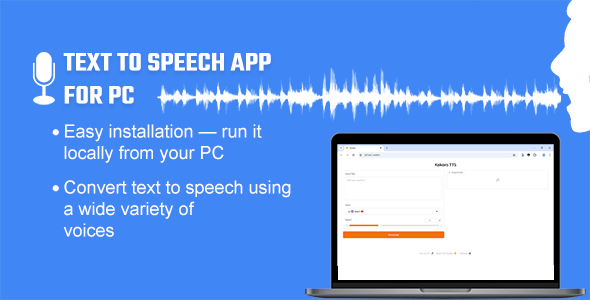
Apps · Windows
Text to Speech App for PC – Offline/Online – SnoopTool Deal
$3.80
$19
80% off
Price shown is 80% under Envato's own list price. Purchase, download and support all happen on CodeCanyon — nothing is fulfilled by SnoopTool. Not a cracked or pirated copy: "Buy Now" takes you to Envato's own checkout for the same official files and license as buying there directly.
| Category | Apps — Windows |
|---|---|
| Author | HeyLetsLearnSomething |
| Last updated | 17 Jun 2026, 5:07 pm IST |
| First published | 8 May 2025, 11:17 pm IST |
About this item
Text to Speech App for PC – Offline/Online TTS
This Text to Speech App for PC is an open-weight, high-performance text-to-speech model designed to convert text into natural-sounding audio quickly. This one-click installable Python toolkit is specifically built for Windows users, offering an intuitive way to generate text-to-speech output. Simply install the Text-to-Speech app and run the application. You can enter your text, select a voice, and your input will be converted into audio. You can then download the audio and use it for your project.
Key Features:
- The offline models (Kokoro, Pocket & Piper) run locally on your PC and offer around 90+ voices: Kokoro provides US (20), GB ( 8 ), FR (1), IN (4) and IT (2), Pocket provide
Category & tags
Licensing & support
Envato sells this item under its own Regular and Extended commercial licenses, and support (bug fixes, compatibility help) comes directly from HeyLetsLearnSomething through Envato's own support system. SnoopTool doesn't set license terms, collect payment, or provide support — "Buy Now" takes you to CodeCanyon to complete all of that on the real listing.
More by HeyLetsLearnSomething
80% off  80% off
 More in Apps
 80% off
  80% off
 .jpg) 80% off
80% off  80% off
  80% off
  80% off
  80% off
  80% off
  80% off
  80% off
  80% off
  80% off